One-time ownership
Buy once for v1.x, activate on up to 3 Macs, and skip the subscription-first writing workflow.
Direct for Mac · $59 · Mac App Store live
Start with a seven-day full-use trial, or buy Direct for a one-time license and use your own AI keys, Ollama, or a self-hosted compatible server in a native macOS workflow.
Prefer App Store billing? Writers Studio is live on the Mac App Store as a free download with optional AI subscriptions.
The Direct edition is the cleanest fit for writers who want ownership, privacy, and flexible AI setup.
Buy once for v1.x, activate on up to 3 Macs, and skip the subscription-first writing workflow.
Use your own OpenAI, Anthropic, or Gemini keys, or run free local AI with Ollama.
Draft, worldbuild, run continuity checks, and export without splitting your process across separate tools.
Choose Direct for one-time ownership with BYOK and local AI options, or App Store if you would rather skip API-key setup.
One-time license · BYOK cloud AI + self-hosted AI
$59 after a seven-day full-use trial · Lifetime v1.x license
Free download · No API keys required
Live on the Mac App Store
A look at the live writing, worldbuilding, and AI-assisted workflow inside Writers Studio.
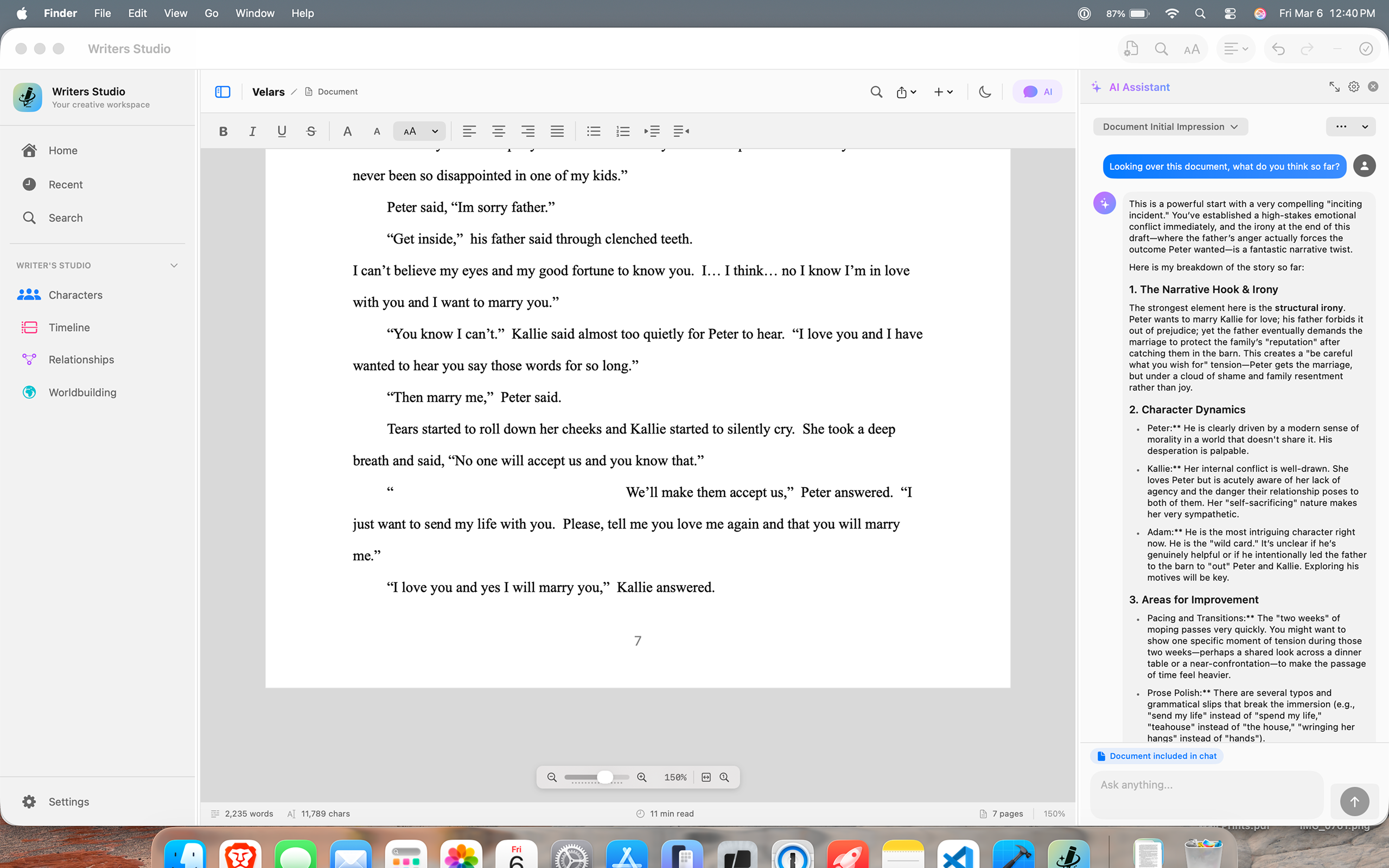
Brainstorm, revise, and keep story context in one side-by-side writing workflow.
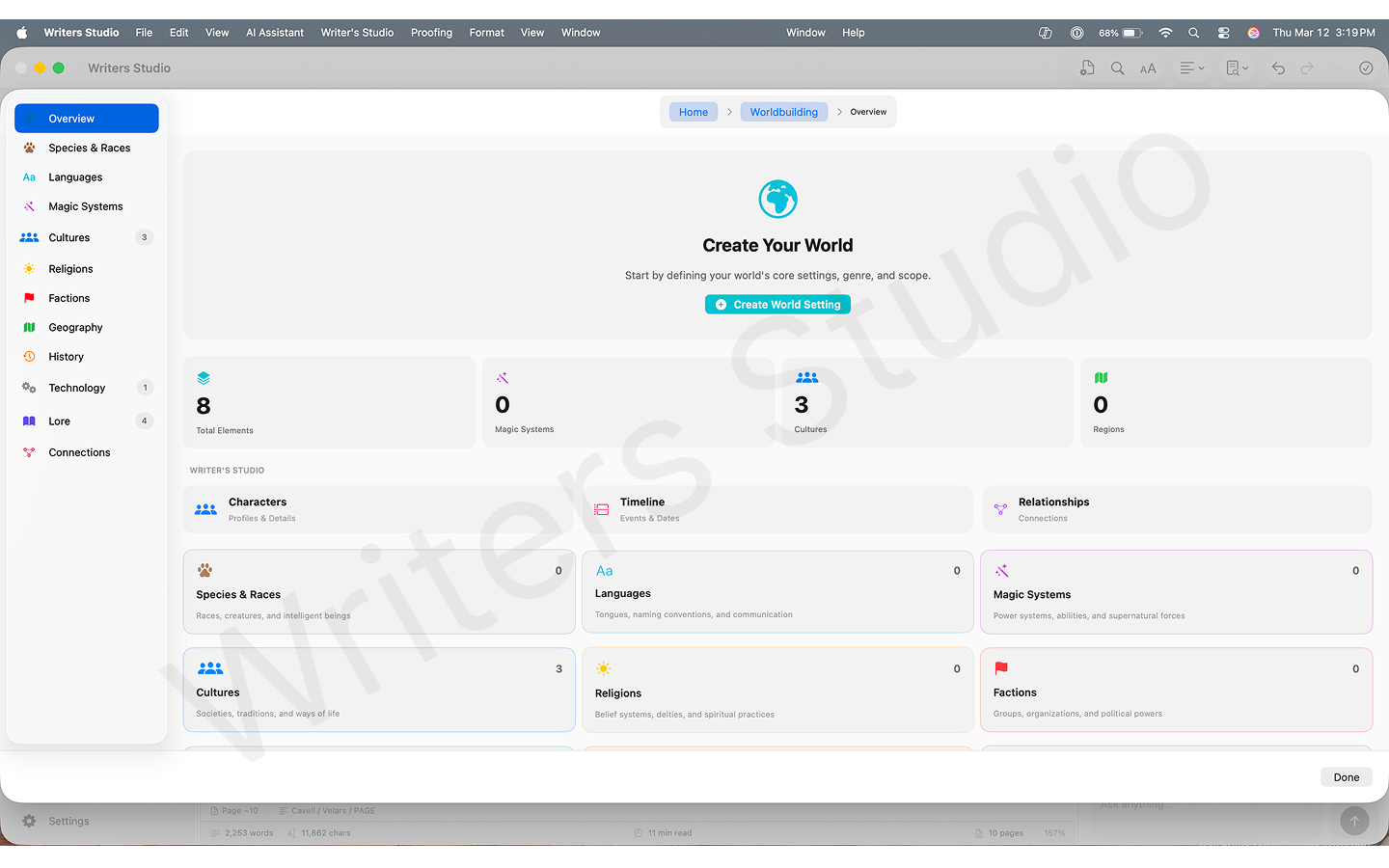
Organize characters, locations, lore, and timeline details in a structured dashboard.
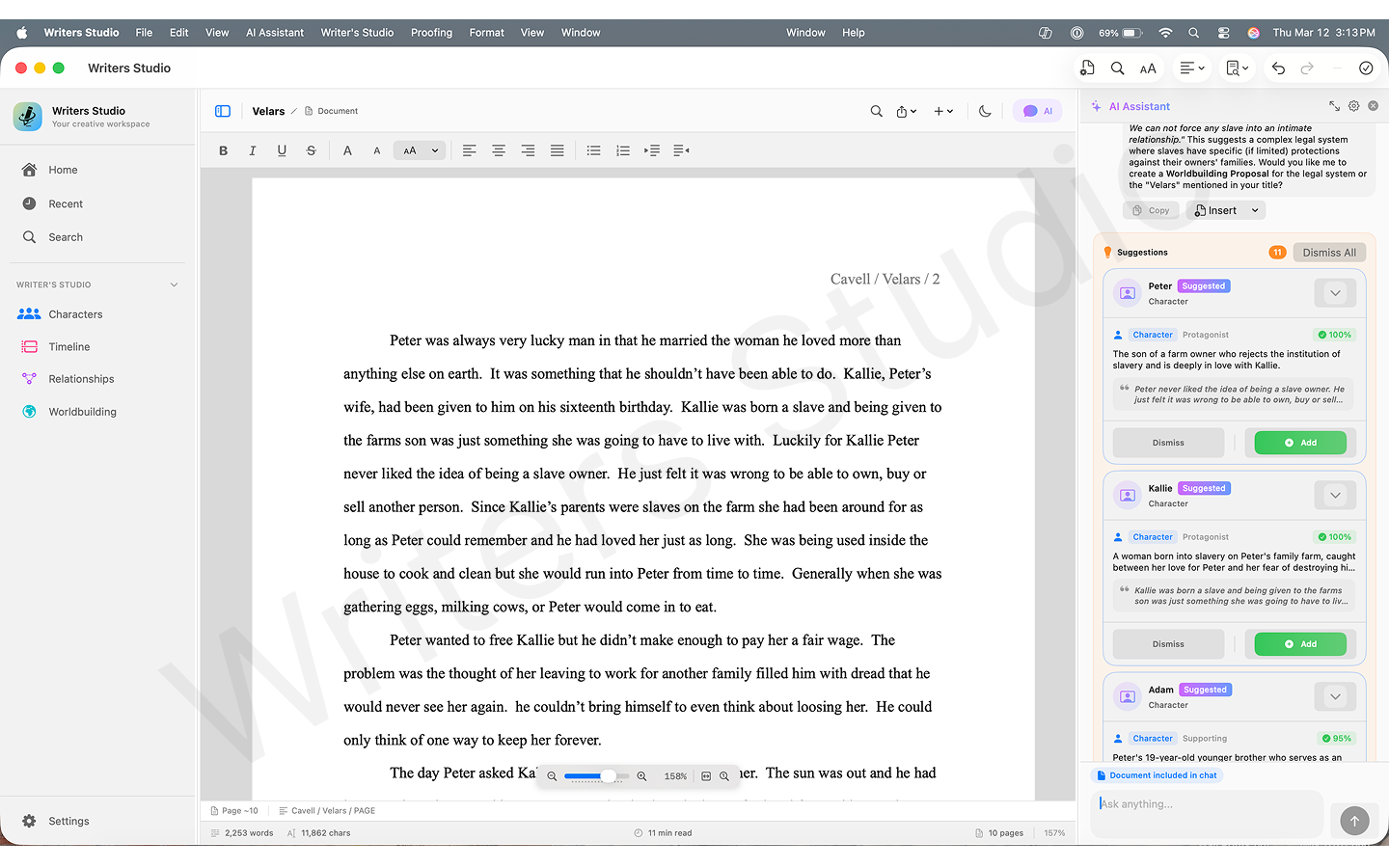
Convert manuscript text into structured entities you can review, accept, and refine.
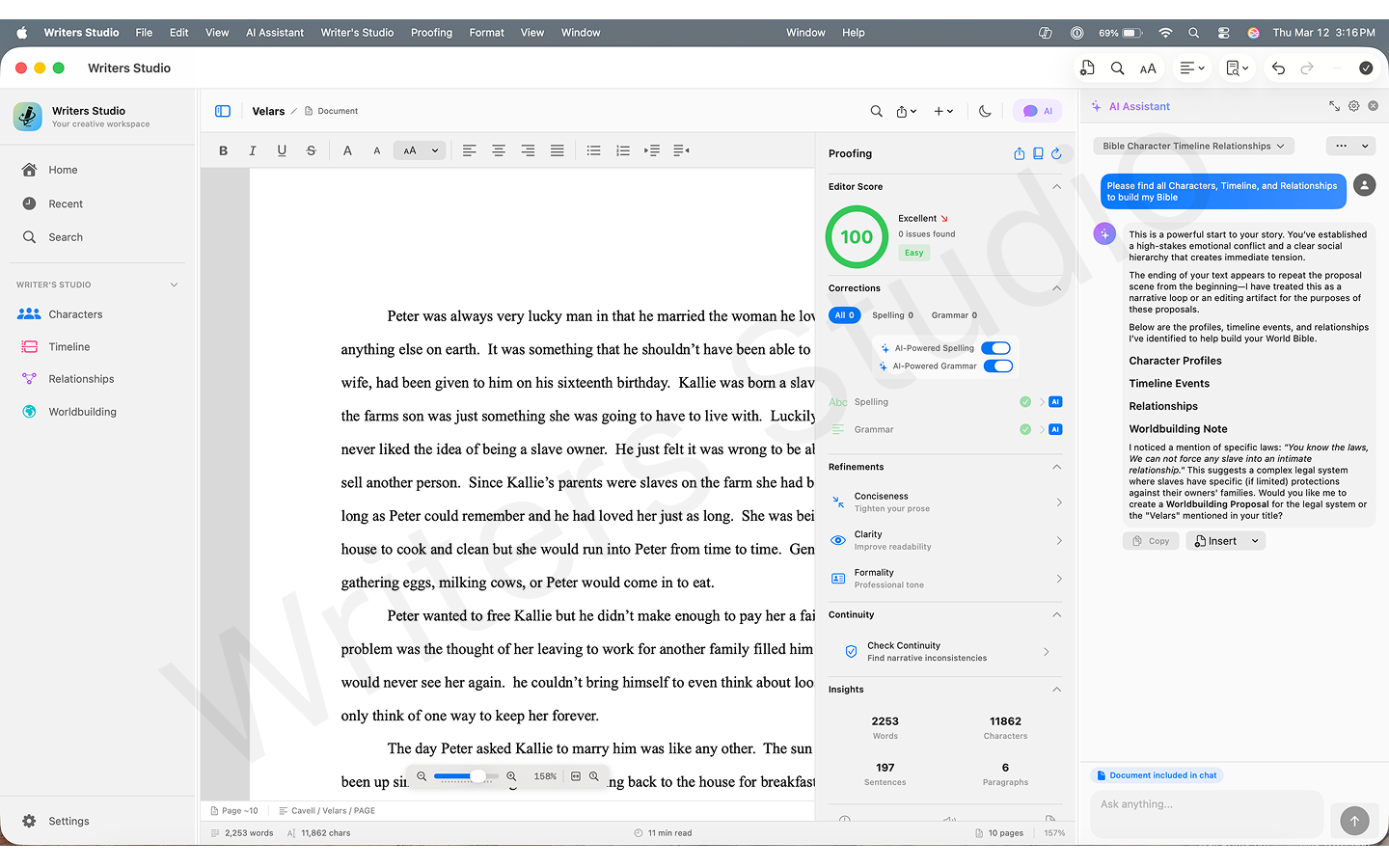
Catch contradictions across chapters before they become beta-reader pain points.
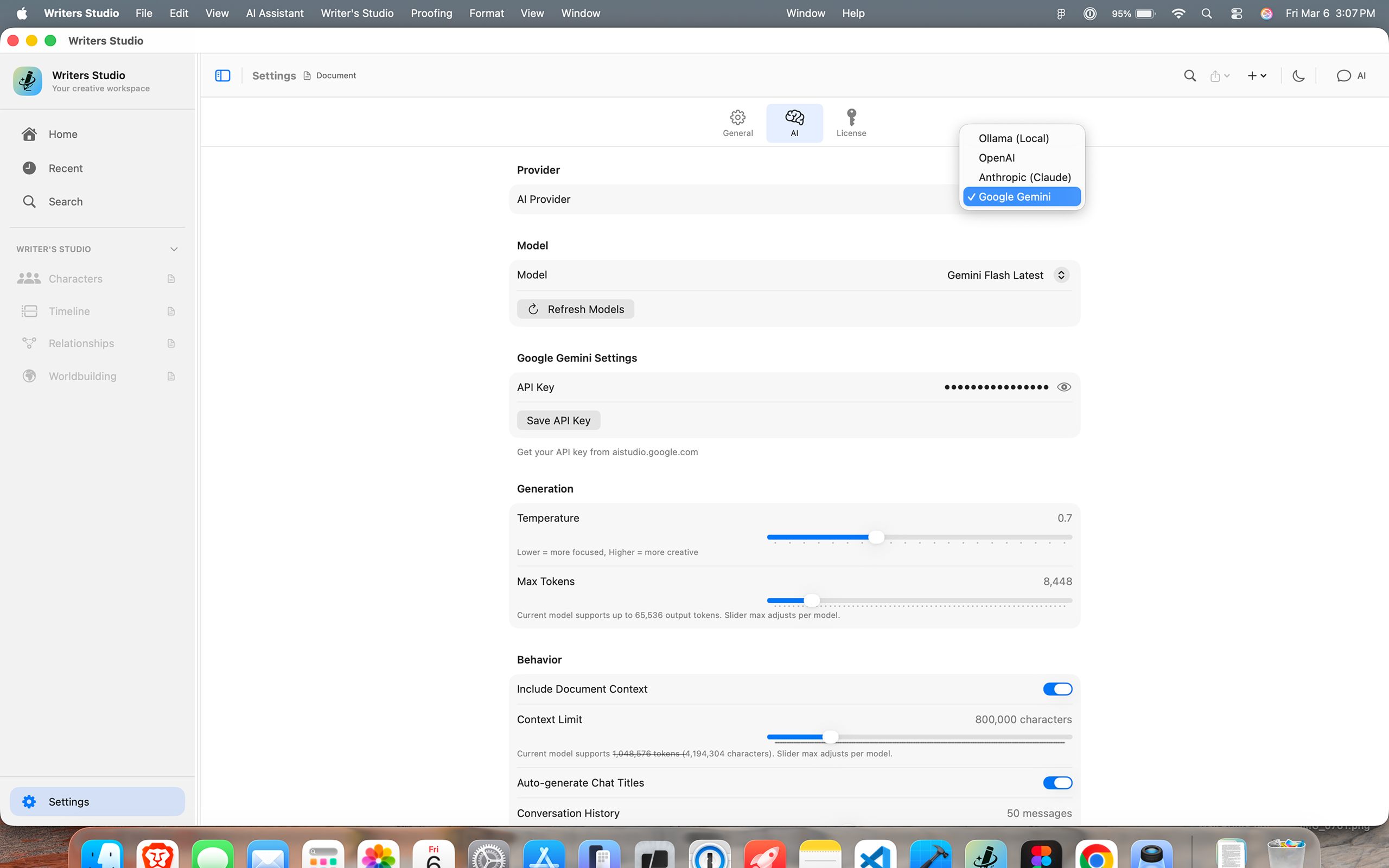
Choose a cloud provider, Ollama, or a self-hosted OpenAI-compatible server based on your workflow and privacy needs.
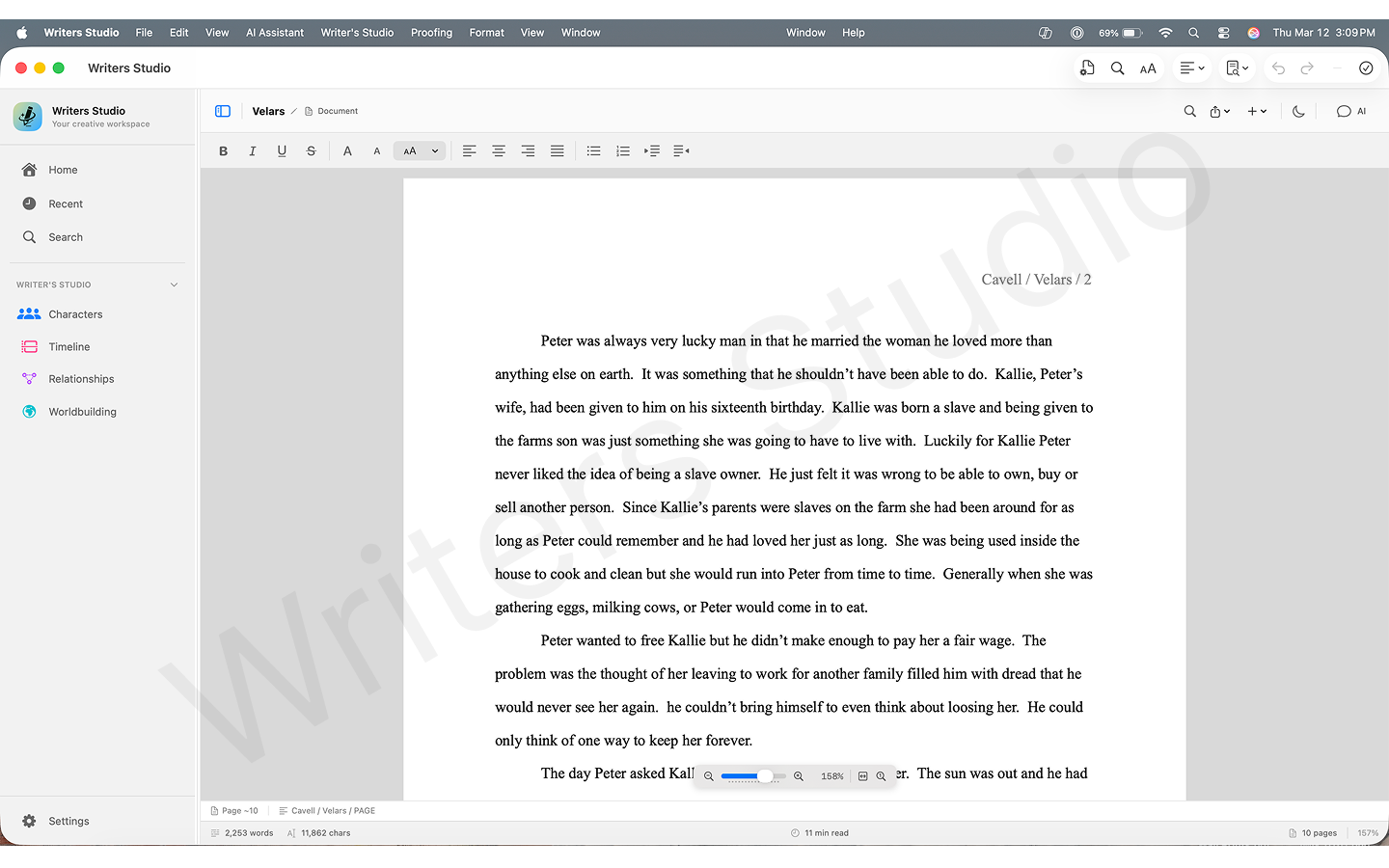
Write in a clean, distraction-free editor designed for long-form fiction.
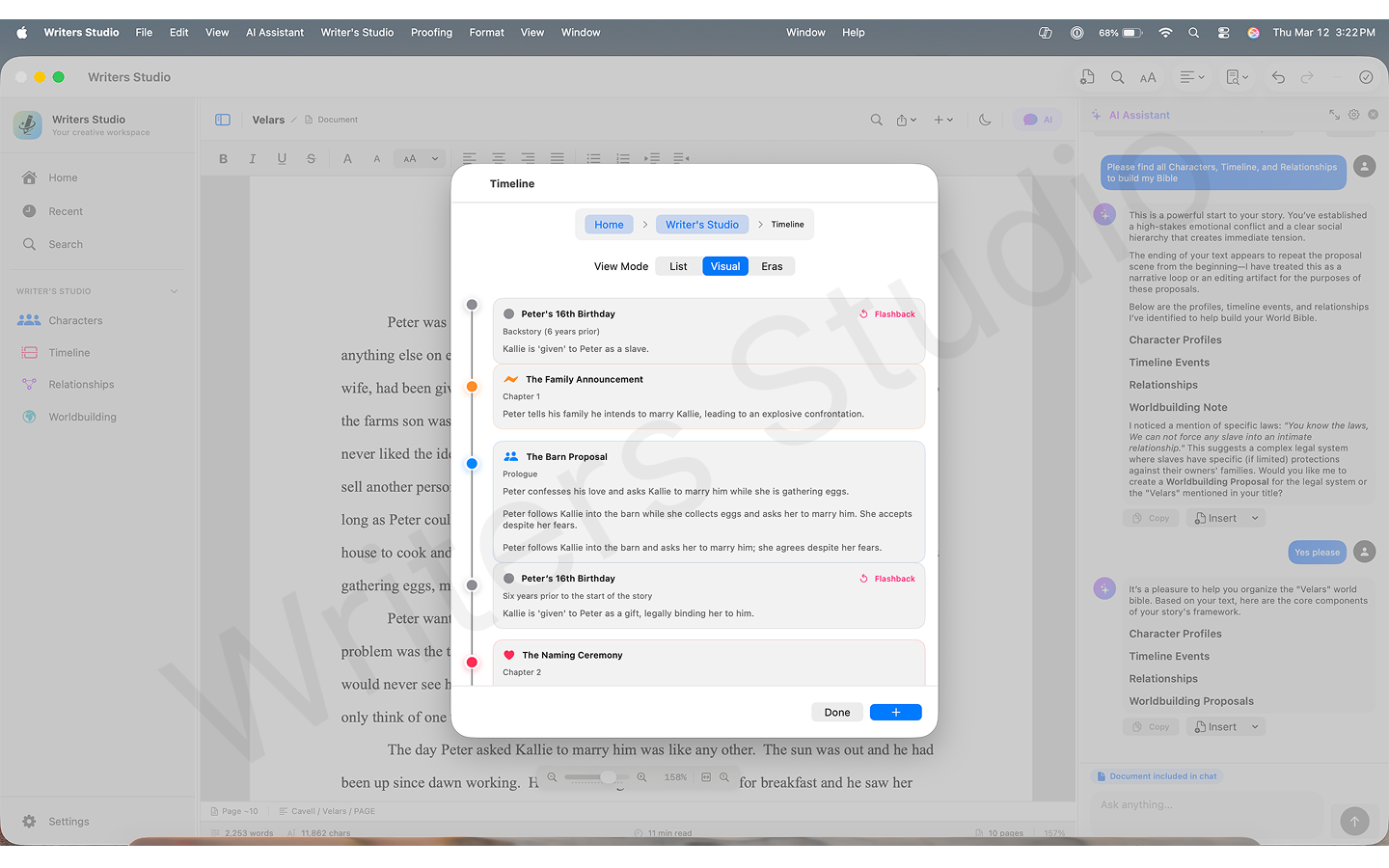
Plot events across chapters and arcs in an interactive timeline view.
| Capability | Writers Studio | ChatGPT / Claude (standalone) | Scrivener / Ulysses |
|---|---|---|---|
| AI with persistent story context | Yes — knows your world | Resets every session | No AI |
| Continuity conflict detection | Yes — across chapters | No persistent context | Manual only |
| AI entity extraction | Yes — auto from prose | Manual prompts only | No |
| Self-hosted AI | Yes — Ollama or compatible server | No | No |
| Export formats | 8 formats incl. FDX | Copy/paste | Usually DOCX/PDF only |
Still researching?
If you are not ready to buy yet, that is fine. These pages exist to answer the SEO-style questions without forcing the main sales page to do every job at once.
For writers deciding whether they need a drafting tool, a project manager, or a context-aware writing workspace.
Open resource →
For solo Mac writers who like clean editing but need stronger worldbuilding, continuity, and AI context.
Open resource →
For authors choosing between formatting-first tooling and a manuscript workflow built around story management.
Open resource →
Read guides, comparison pages, and workflow articles if you are still researching before you buy.
Open resource →
Real feedback from real writers.
“I'm finding that I really don't mind that the AI is a little slower than other AIs and that the ability to work offline is actually a feature, not a flaw, at least for me.”
Early user feedback on local AI with Ollama
“Writers Studio has completely replaced Scrivener for me in every respect. I haven't used anything else since I first discovered the app. Its structure helps me to worldbuild, capture the sketches and stories in my head, and on top of that, the most important thing: just start writing. Optionally, you can get support from the AI of your choice via BYOK - but you don't have to. Which I think is great. AI shouldn't be a must, but always an option. Then there's the price. The whole package is simply a no-brainer.”
“One thing I really want to mention: I find your app much more intuitive than Scrivener. I bought Scrivener once, but never really used it. Too cumbersome, too old-fashioned, far too distracting. Your app, on the other hand, invites you to get started, which is a real bonus!”
Already using Writers Studio?
Rough notes are more useful than polished praise right now. If something feels awkward, missing, or confusing, send it directly.
Send Product FeedbackWriters Studio keeps your draft, worldbuilding, and continuity checks in one place — so you spend less time managing tools and more time writing.